Creator programme

How it works, start to finish

Keep posting.
Your posts start earning.

No videos about us, nothing extra to promote. Layla turns the travel content you already post into trips your followers can open and make their own. Here's exactly what that looks like, screen by screen.

  • $1 for every new sign-up
  • 2% of every booking
  • Your content stays yours

Your journey, step by step

The only setup is a one-time step that takes a few minutes.

Before you start

Did not set up your professional account yet? This is a very easy way to do so!

One important step before connecting your Instagram account: please make sure it's set to a Professional Creator account. Without it, you can't accept the Layla tester invite or connect your account.

Don't worry, you don't need to own a business or register a company! It's completely free and only takes a minute to switch.

You don't need

  • A registered company
  • A Facebook Business Page
  • A paid Instagram subscription

Your existing personal account simply switches to a free Creator account.

In the Instagram app, go to:

  1. 1Instagram → Settings and activity

  2. 2Account type and tools

  3. 3Switch to professional account

  4. 4Select Creator

Illustration. Menu names can differ slightly between app versions.

Creator
For influencers, content creators and public figures. This is the one to pick.
Business
For companies, brands and shops. Also works, but you don't need it.
Why it matters
This is required for Layla's Instagram integration to work properly. Personal accounts aren't supported.
1

Connect your account

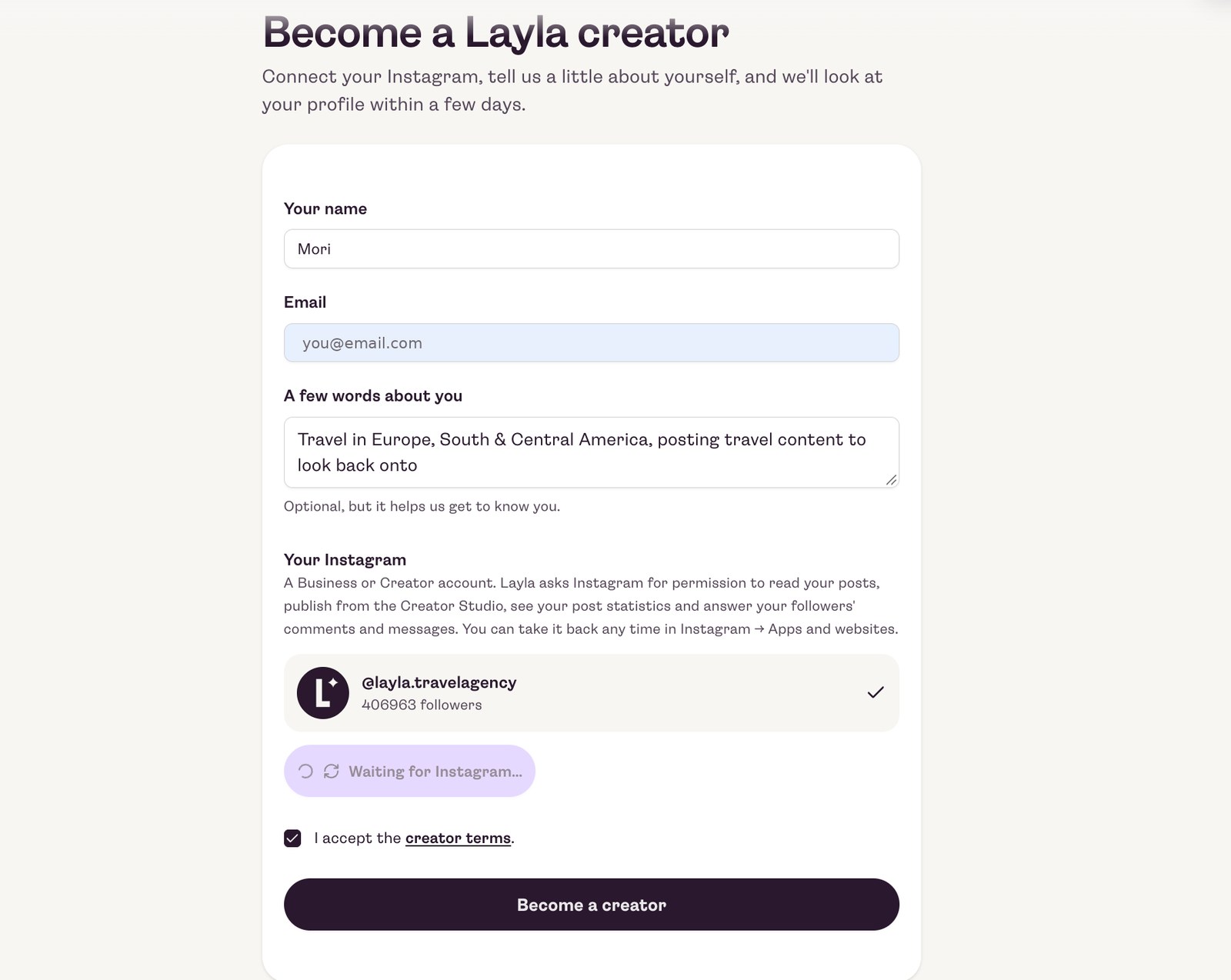
Open the Become a Layla creator page at layla.ai/creator-hub/apply. Add your name, email and a few words about how you travel, tap Connect Instagram and accept the creator terms.

Told you're not on Layla's test list? Accept the Layla invite in step 2, then connect again.

The Become a Layla creator form with Instagram connected
2

Accept the Layla invite on Instagram

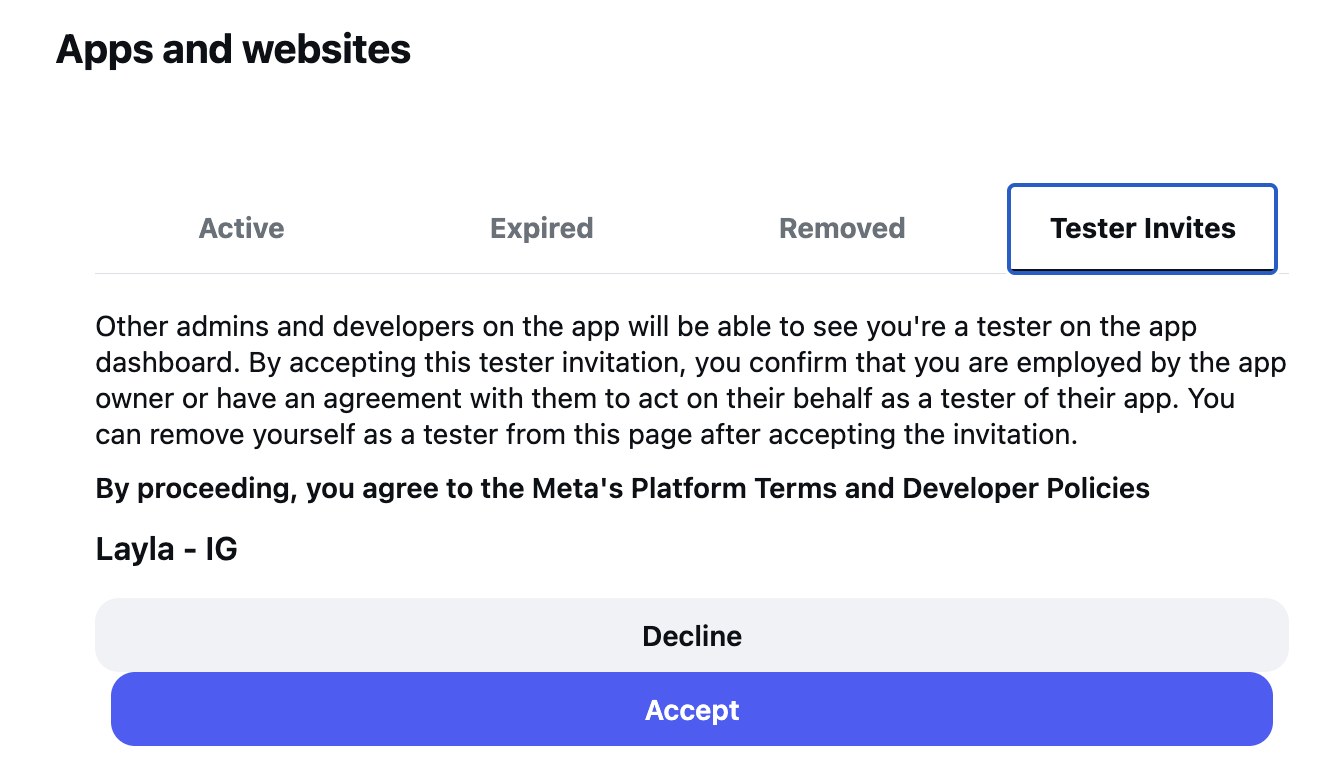
On your laptop, open instagram.com and go to Settings, then Website permissions, then Apps and websites. Open the Tester invites tab and accept the one from Layla.

Do this on your laptop

The Tester invites tab only works in Instagram on a computer, not in the phone app.

aOpen Tester invites and tap Accept

Instagram's Apps and websites screen, Tester invites tab, with the Layla invite and its Accept button

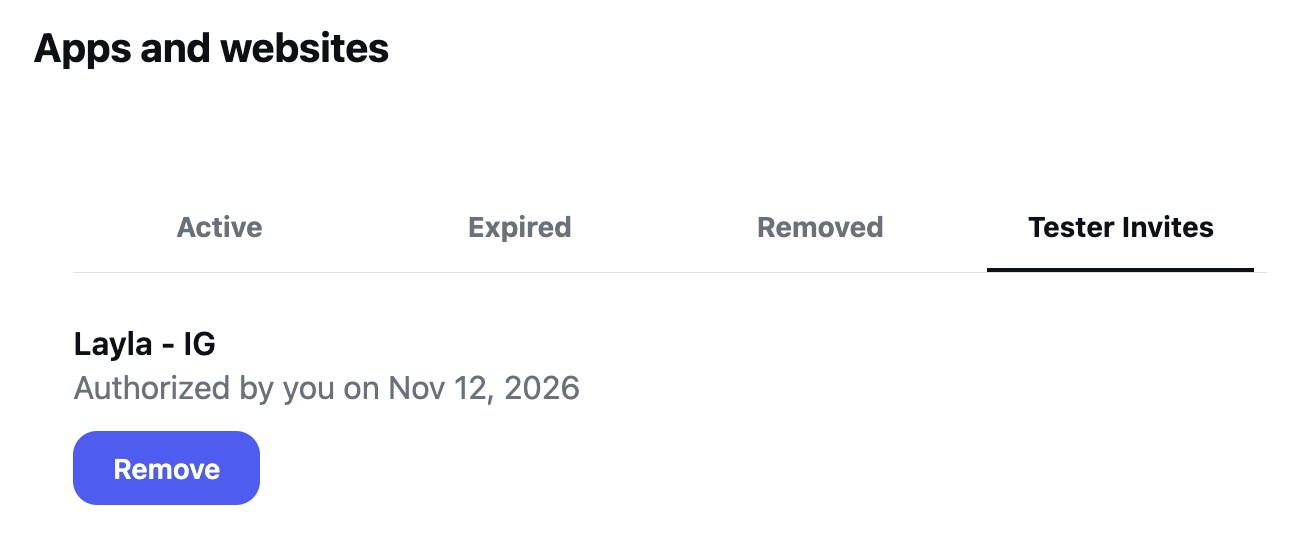
bLayla is now authorised

The Tester invites tab showing Layla as authorised

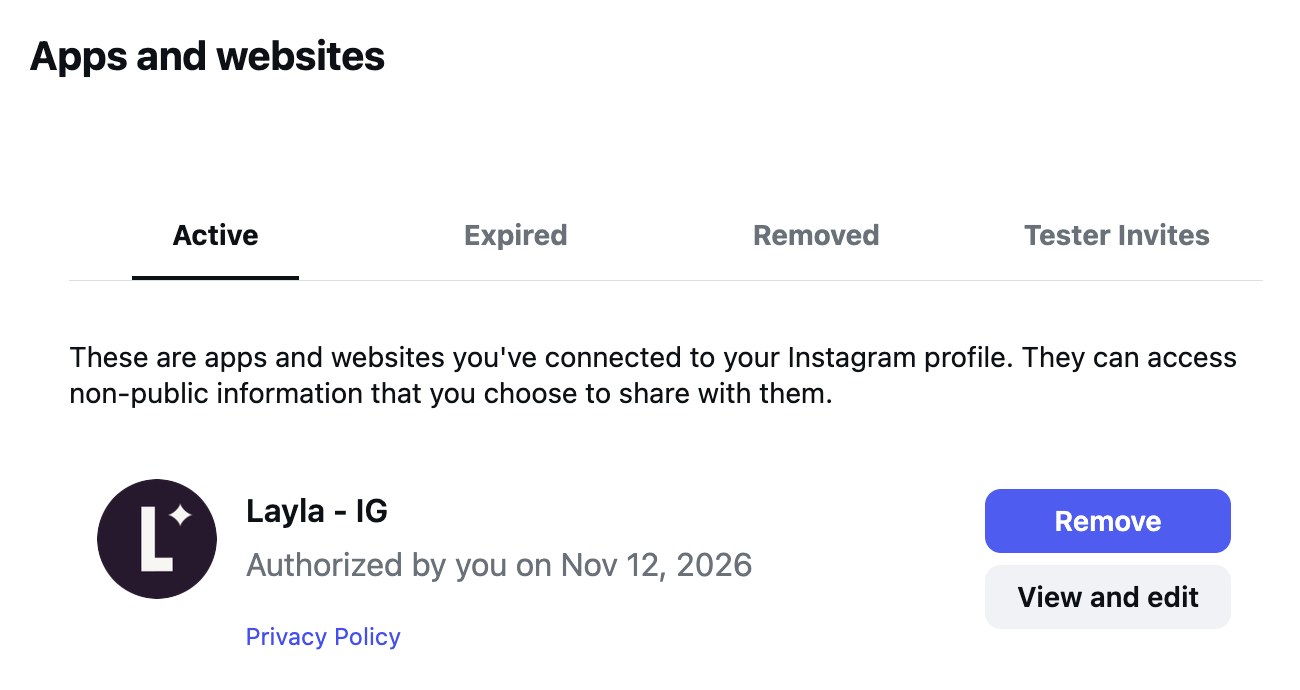
cConnected, and you stay in control

The Active tab showing Layla connected, with Remove and View and edit buttons
Layla shows up under Active. Remove it whenever you like.

That's it, you're all set

Once you've accepted the invite, there's nothing else to set up on your side. Layla takes it from here.

3

We say hello, then you're in

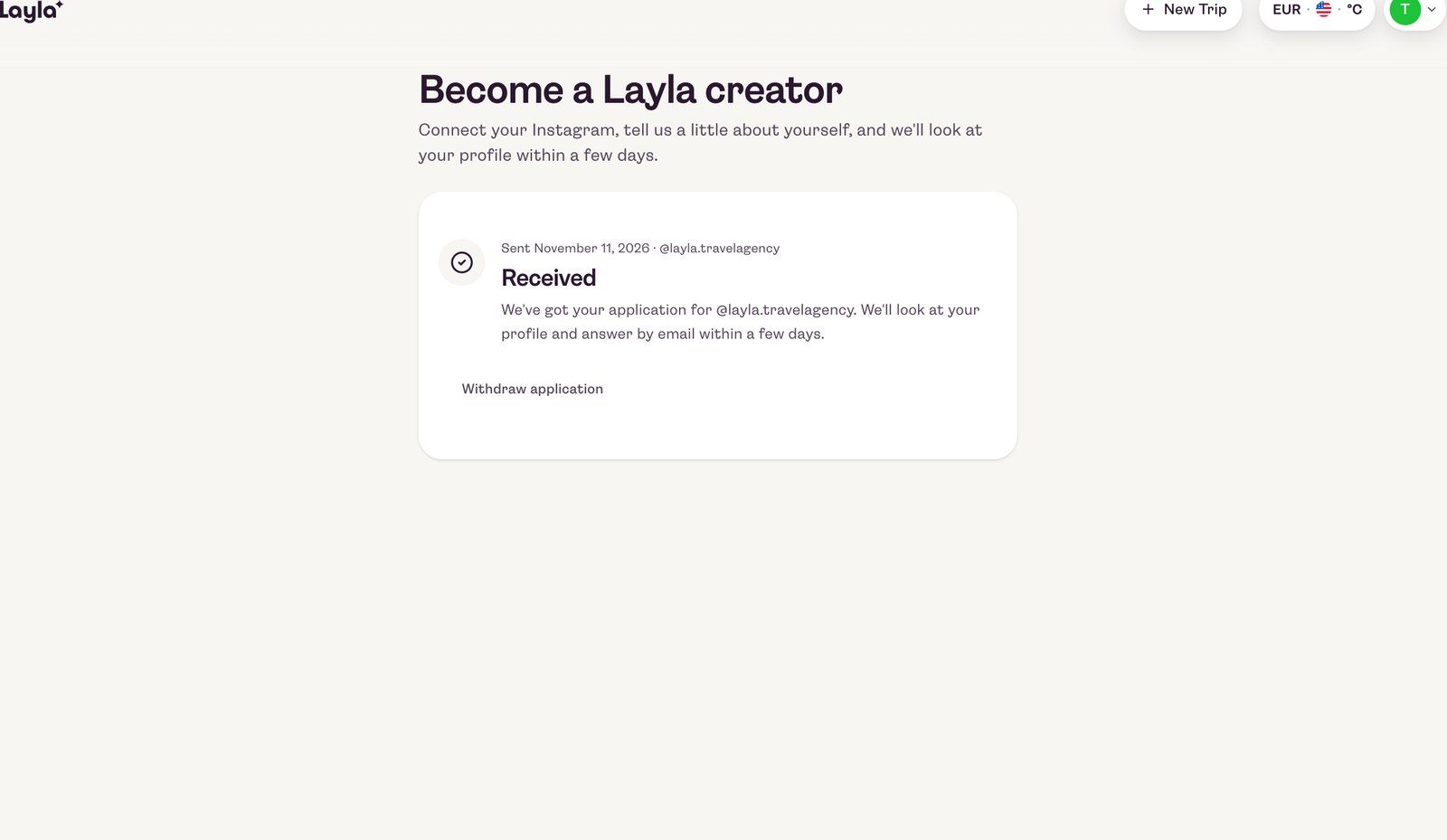
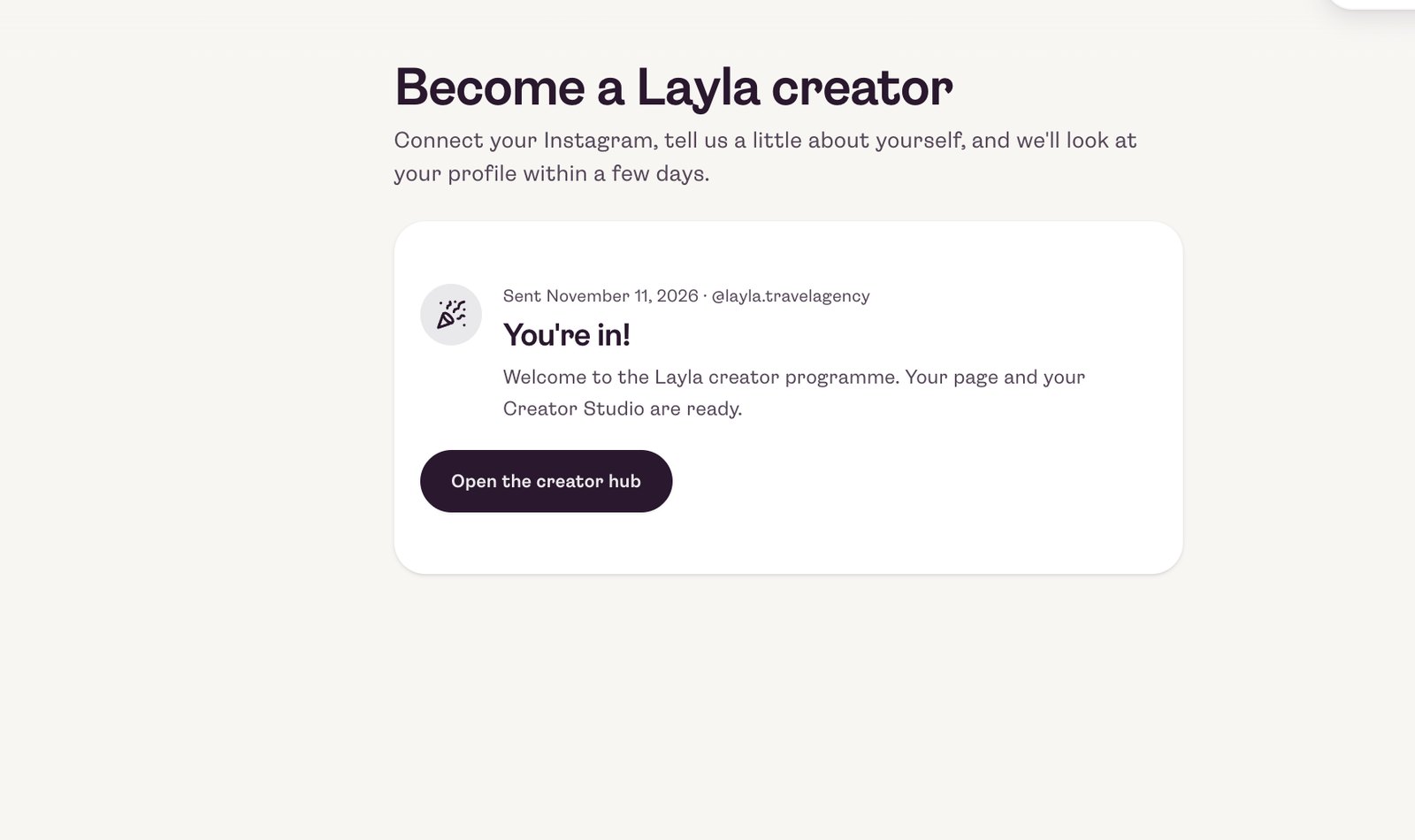
We look at your profile and answer by email within a few days. Once you're approved, your page and your Creator Hub are ready. Changed your mind before then? You can withdraw your application at any time.

The Application received screen
The You're in screen with the Open the creator hub button
4

Layla builds your page for you

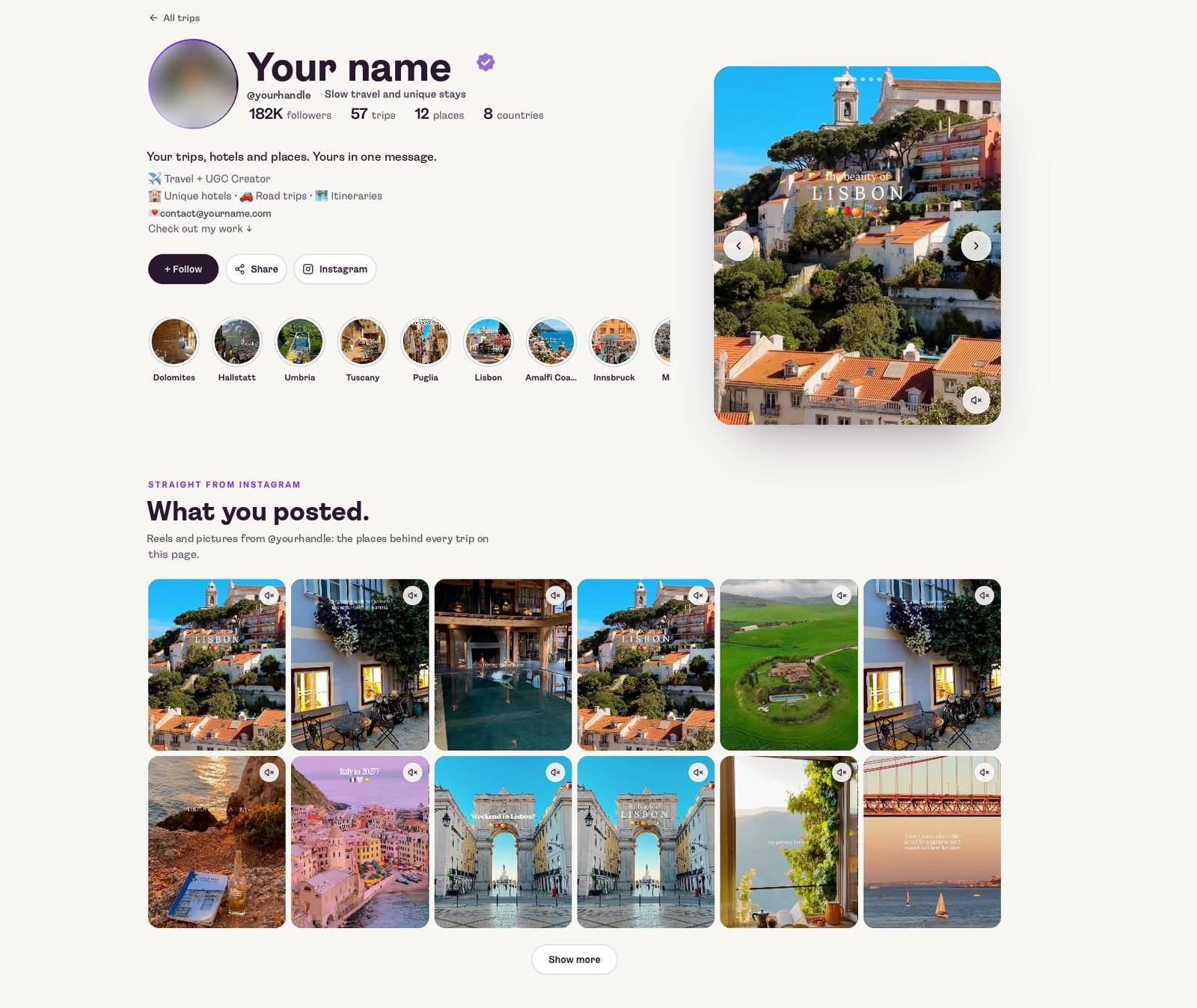
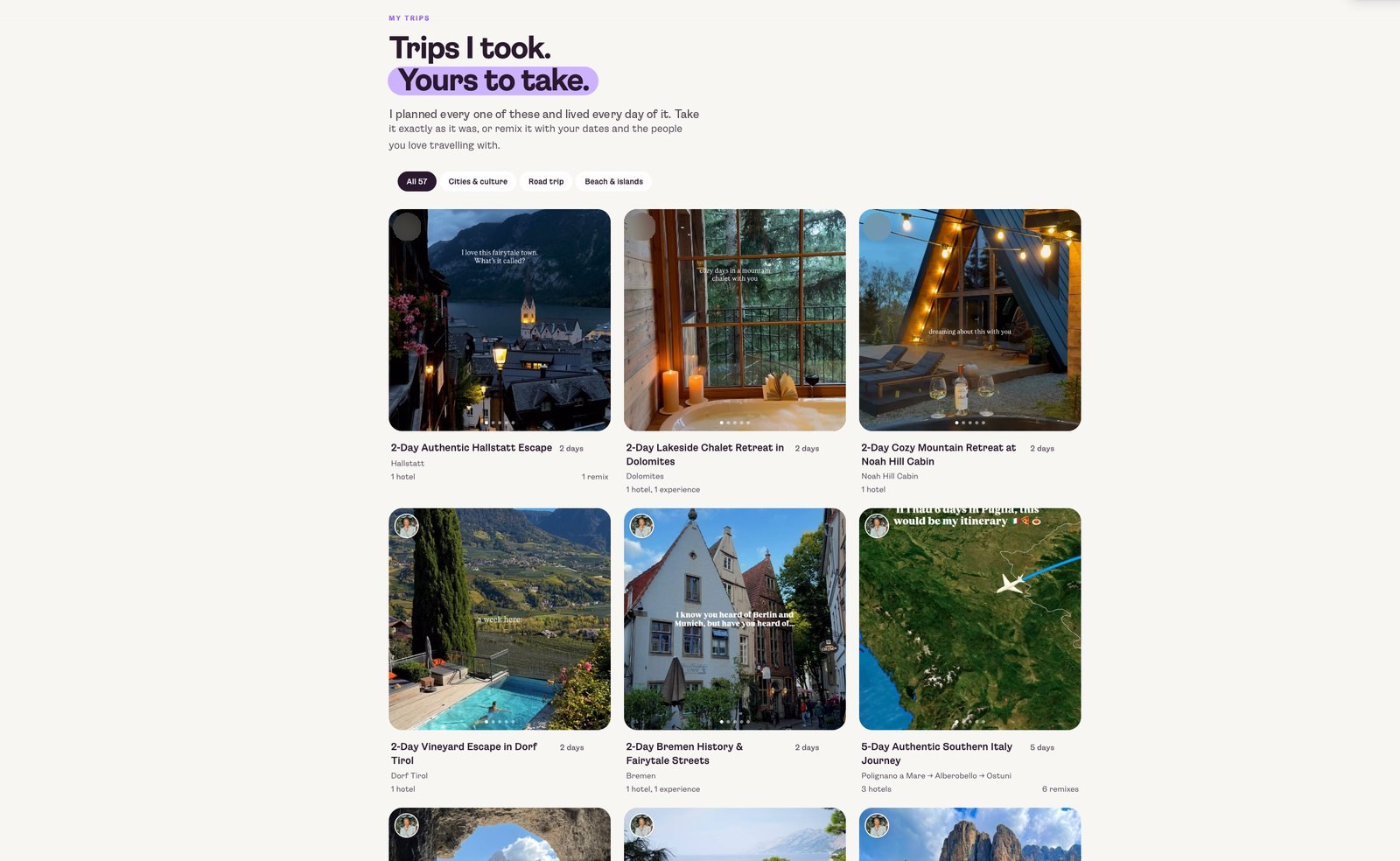
Connect once, and Layla scans your posts and builds a trip for each journey on your own Layla page, every trip with its own short link. New posts are picked up the same way once they go live, so there's nothing to set up. Every trip uses your post's photo or video and links back to you.

Posting before your page is ready? No problem. If someone comments "PLAN" on a post that has no trip yet, Layla builds the trip first, then answers.

A live creator page with the profile and Instagram posts
Trips I took, yours to take: a creator's trips built from their posts

Your full profile takes a little while

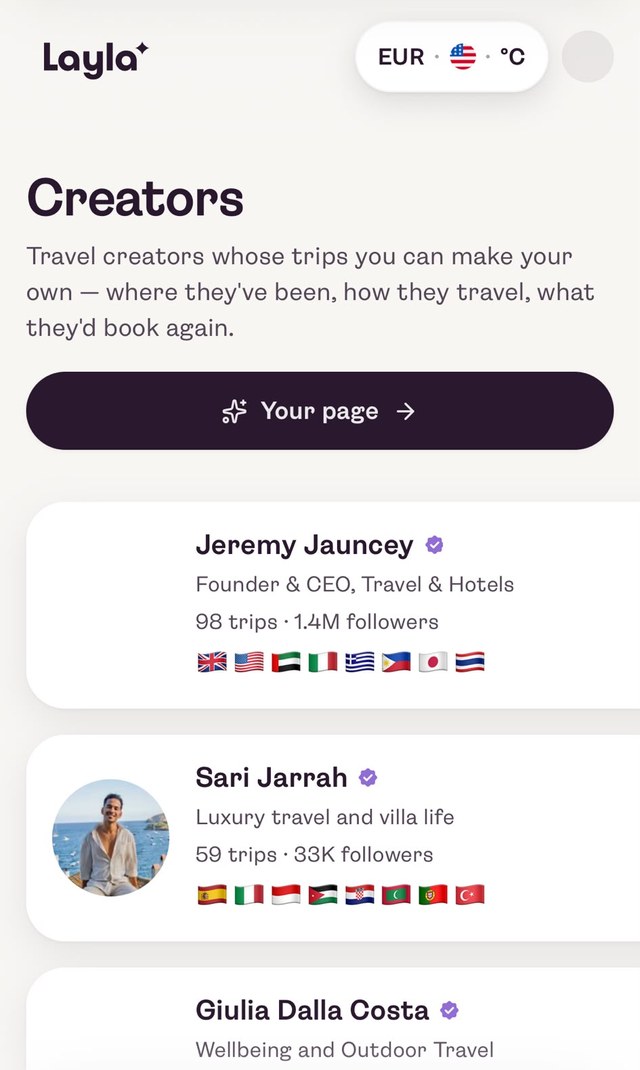
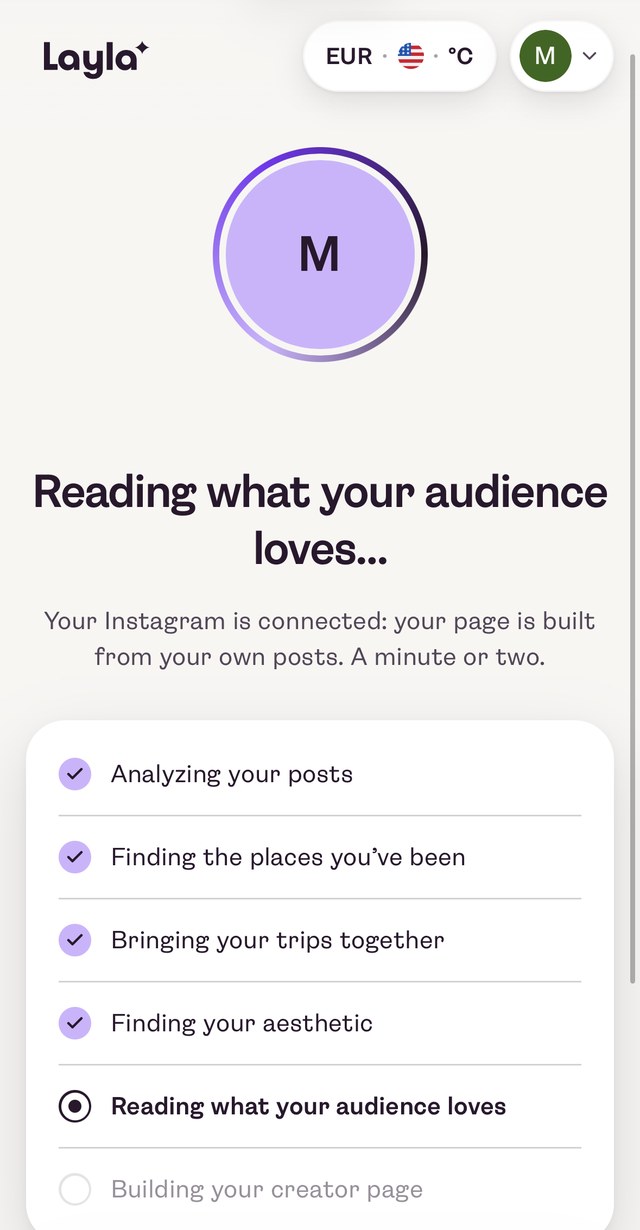
Building your page can take a bit after you connect. In the meantime you can already browse the other creators and their pages. Tap Your page and you'll see Layla at work: analysing your posts, finding the places you've been, bringing your trips together and building your creator page.

Seeing this screen? All good. Your page is on its way.

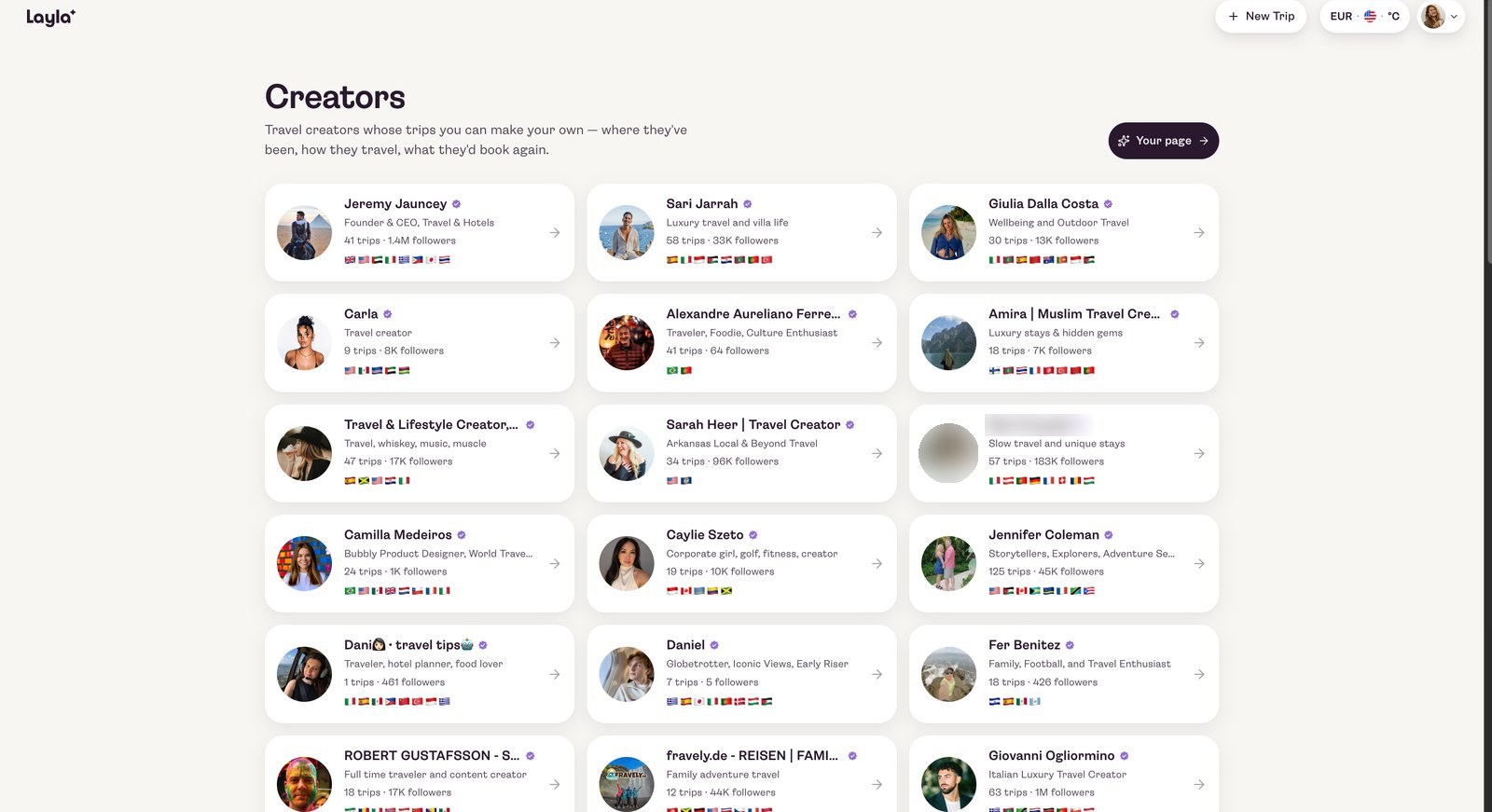
The Creators page on layla.ai with the Your page button
Browse other creators, then tap Your page
The loading screen: Layla analysing posts and building the creator page
Layla builds your page step by step
5

Make your page your own

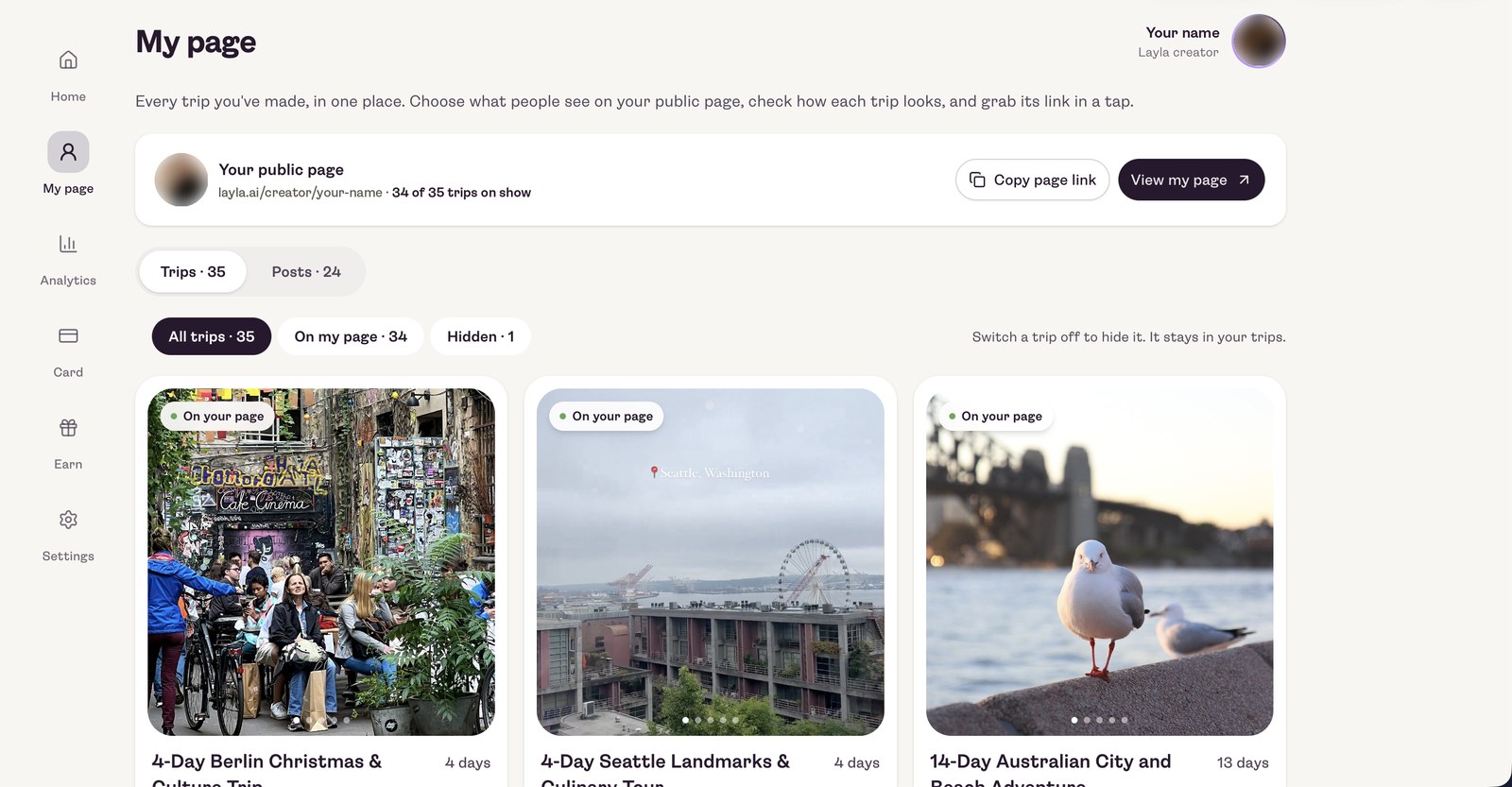
Your page is yours to shape. Under My page in your Creator Hub you see every trip and post Layla made from your content, and you decide what travellers get to see.

  • Pick what you showcase

    Switch a trip off to hide it from your public page. It stays in your trips, so you can switch it back on any time.

  • Check how each trip looks

    Open any trip to see exactly what your followers will see.

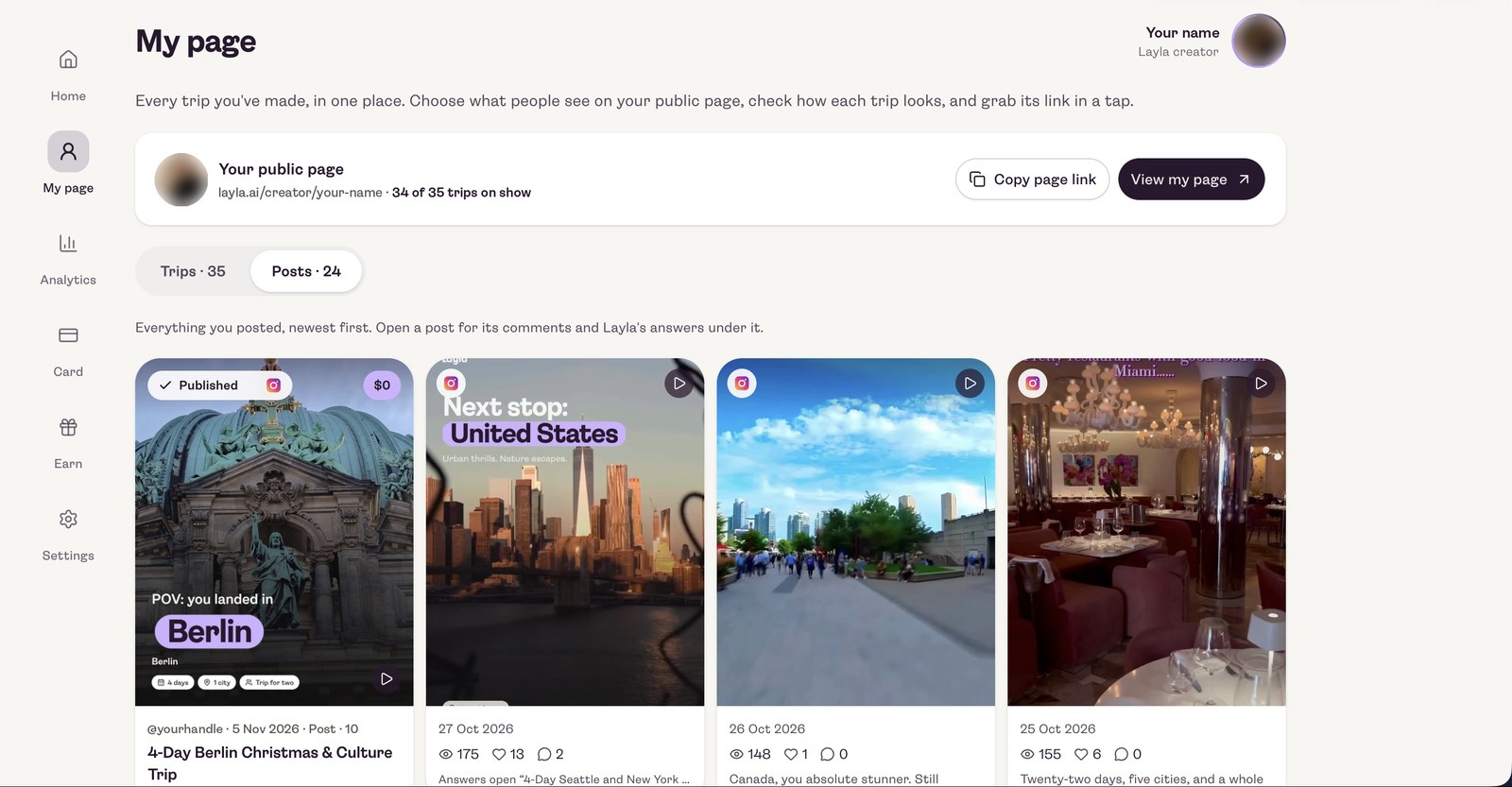
  • See your posts at a glance

    Every post, newest first, with its views, likes and comments, and Layla's answers under it.

  • Share it in a tap

    Copy your page link or a single trip link, ready for your bio or stories.

My page in the Creator Hub: the public page link, trips on show, and trips you can switch on or off
Trips: choose which ones are on your page. Hidden trips stay safe in your list.
My page, Posts side: every Instagram post with views, likes and comments
Posts: everything you posted, with its stats and Layla's answers.
6

Travellers find you on layla.ai

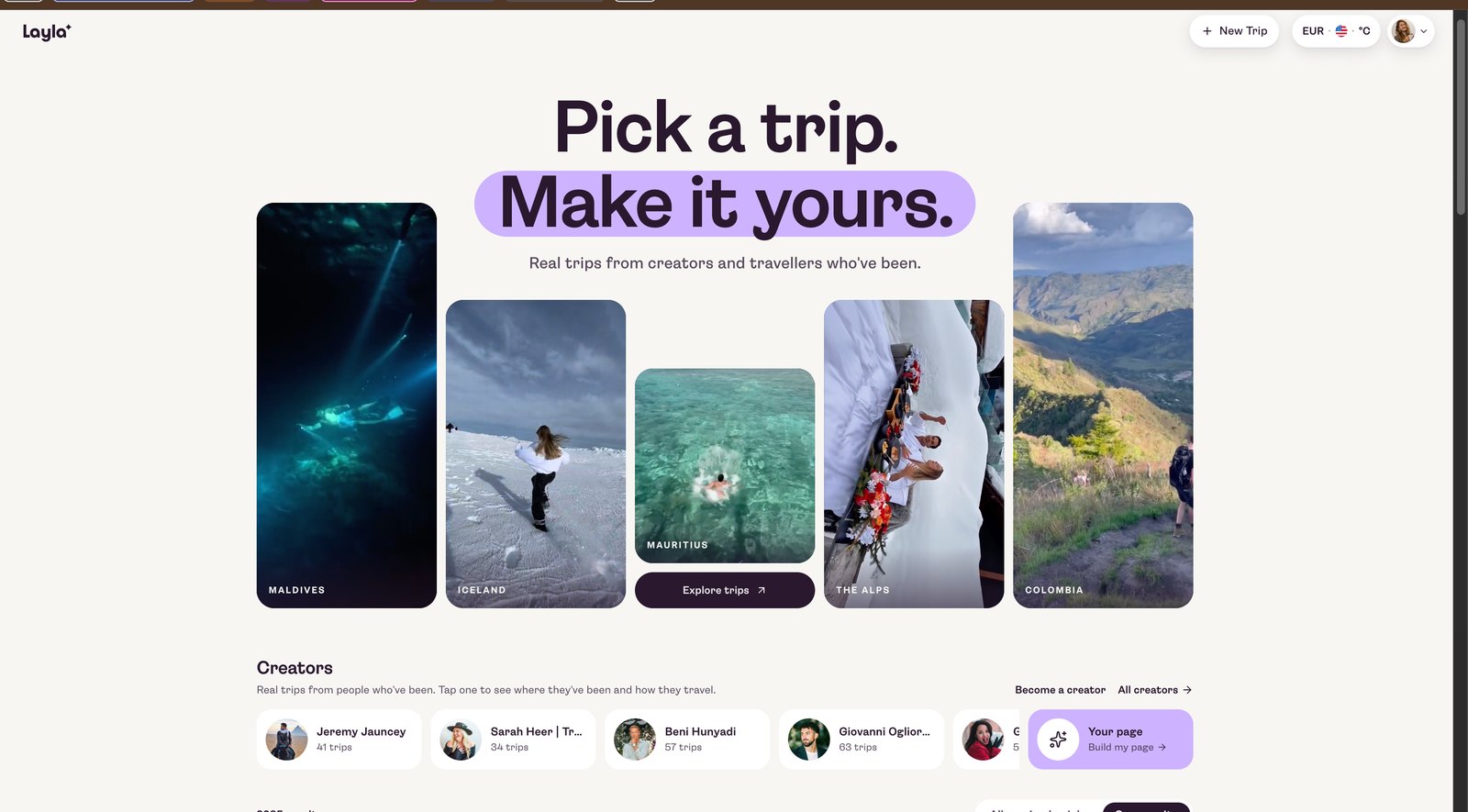
Your trips appear alongside other creators on layla.ai, where travellers browse real trips from people who've been. They can also land on your page straight from your posts.

The layla.ai homepage: Pick a trip. Make it yours.
The creators directory on layla.ai
7

Keep posting. Just add one line.

Post your travel content as usual. Whenever a post is about a specific place, add "Comment PLAN" to your caption. That's the only thing you add, also when you post from the Studio. The keyword is PLAN for every creator, and we set it up for you.

The line to add to your caption

Comment PLAN

How a creator writes it

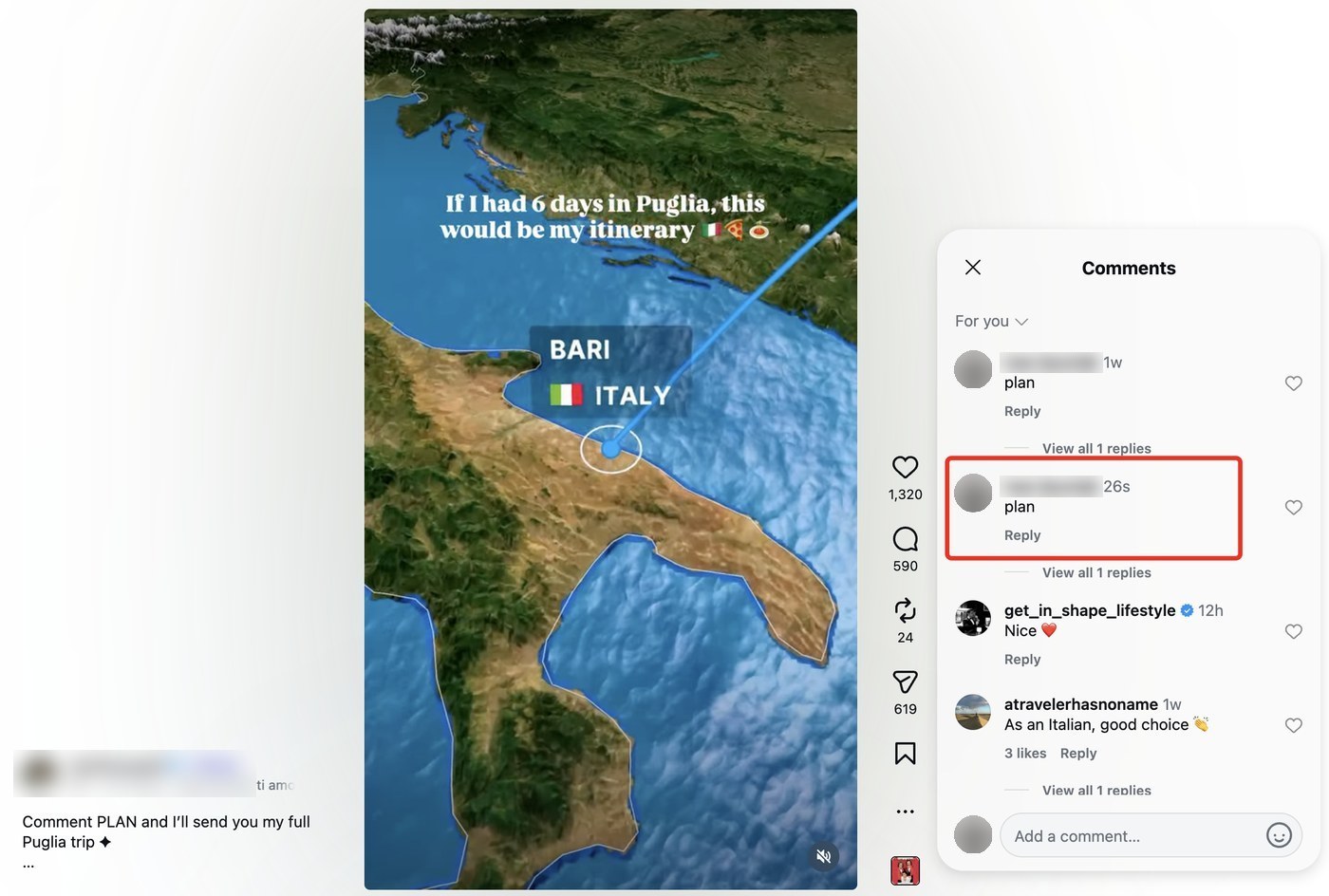
"Comment PLAN and I'll send you my full Puglia trip"

How the post connection works

  1. 01

    Your post goes live

    Layla picks it up and builds the trip automatically, with its own short link.

  2. 02

    A follower comments "plan"

    Because your caption told them to.

  3. 03

    Layla replies under the comment

    "Sent you the plan in DMs", from your account.

  4. 04

    The trip lands in their DMs

    A message from you with the trip link, ready to open and make their own.

aOn a creator's Puglia reel, a follower comments "plan"

A creator's Puglia reel with the caption Comment PLAN and a follower's comment plan

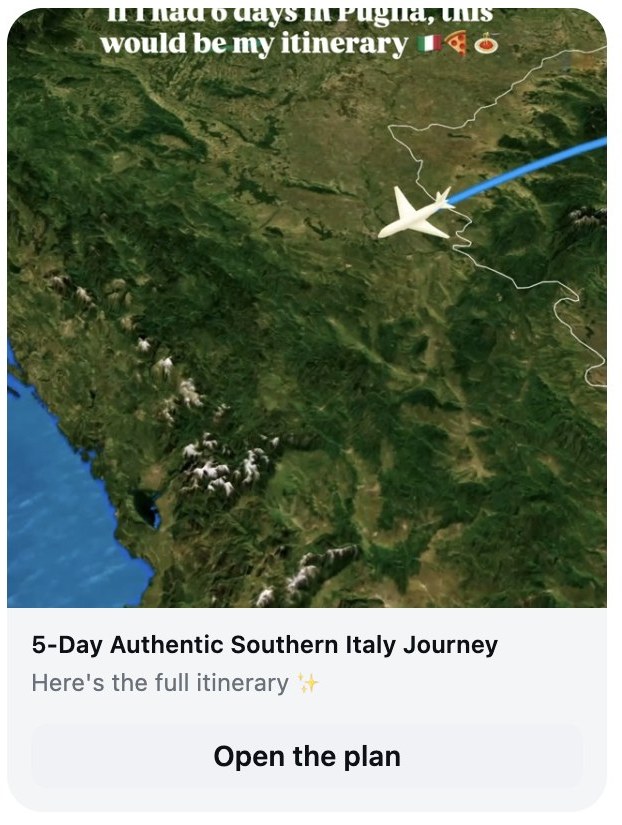
bThe trip arrives in their DMs, from the creator

An Instagram DM from the creator with the 5-Day Authentic Southern Italy Journey trip and an Open the plan button
One tap on Open the plan and they're in the trip.
  • We don't write your captions. You keep your own words, only add the CTA "Comment PLAN".
  • Posting on Facebook too? Copy your trip link from Analytics, under By link, in your Creator Hub and use it there.
  • Layla only answers replies to its own trip message, and never your other DMs.
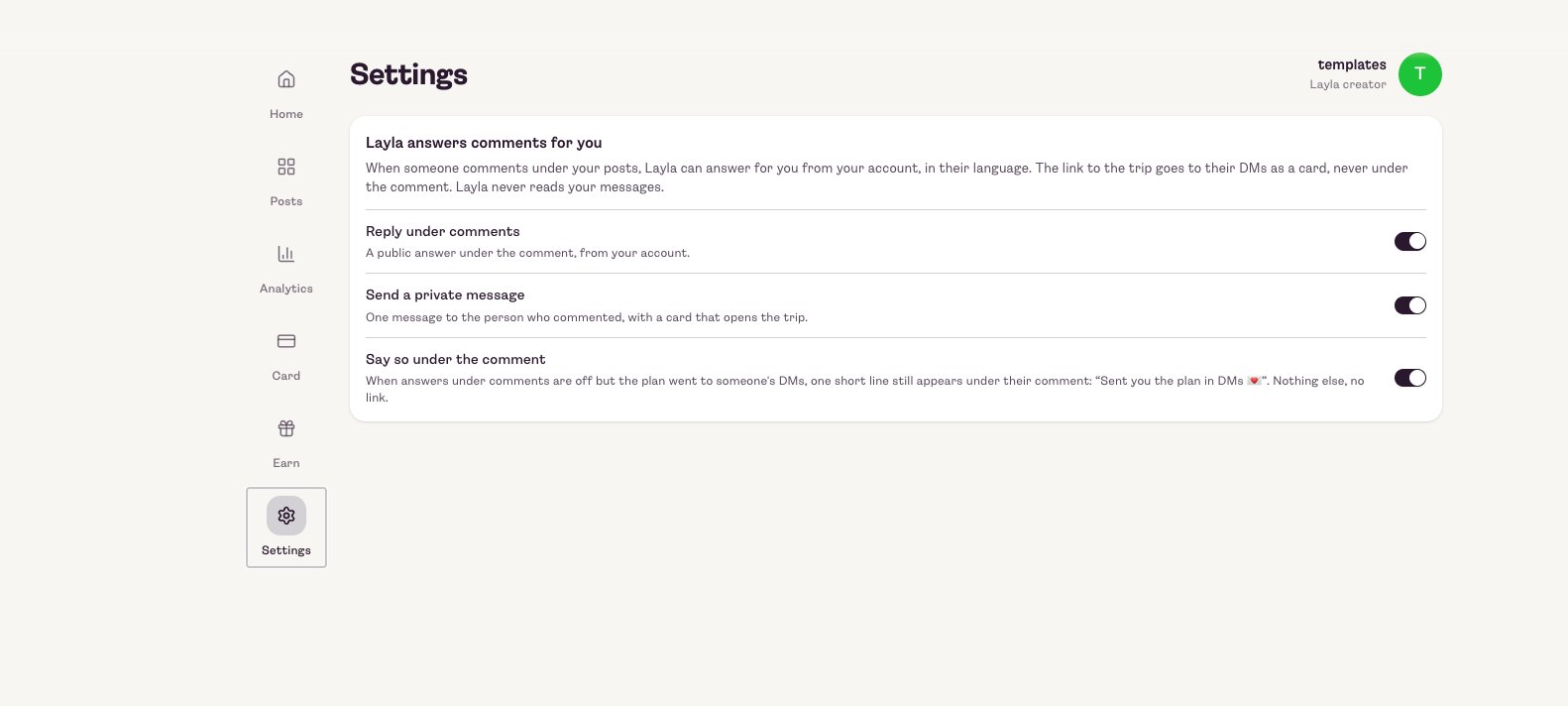
Creator Hub settings for how Layla answers comments
How Layla answers comments is set in your Creator Hub.

Where to find your trip links

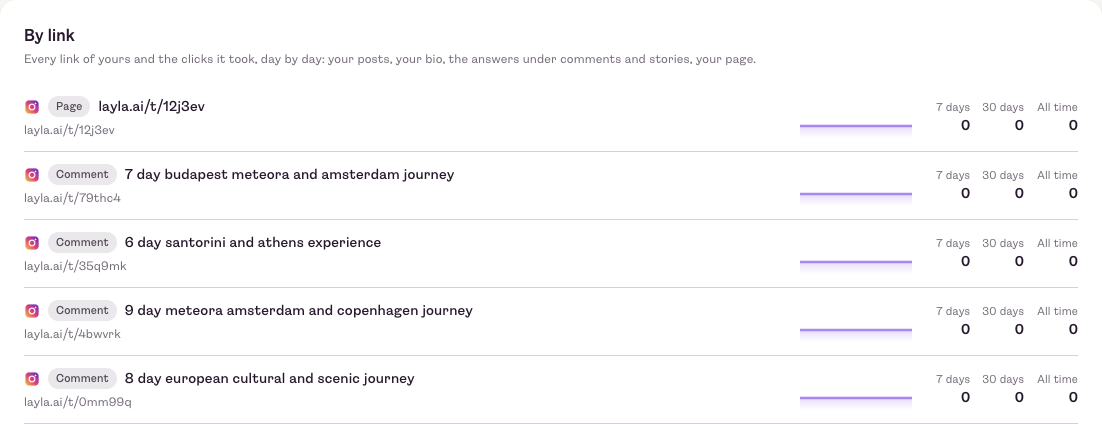
In your Creator Hub, open Analytics and scroll to By link. Every link of yours is listed there with its clicks over the last 7 days, 30 days and all time: your page, your posts, your bio, and the links Layla sends under comments and stories.

Copy any of these to share on Facebook or anywhere else.

Analytics, By link: each trip link with its clicks over 7 days, 30 days and all time
Creator Hub › Analytics › By link
8

Someone makes your trip their own

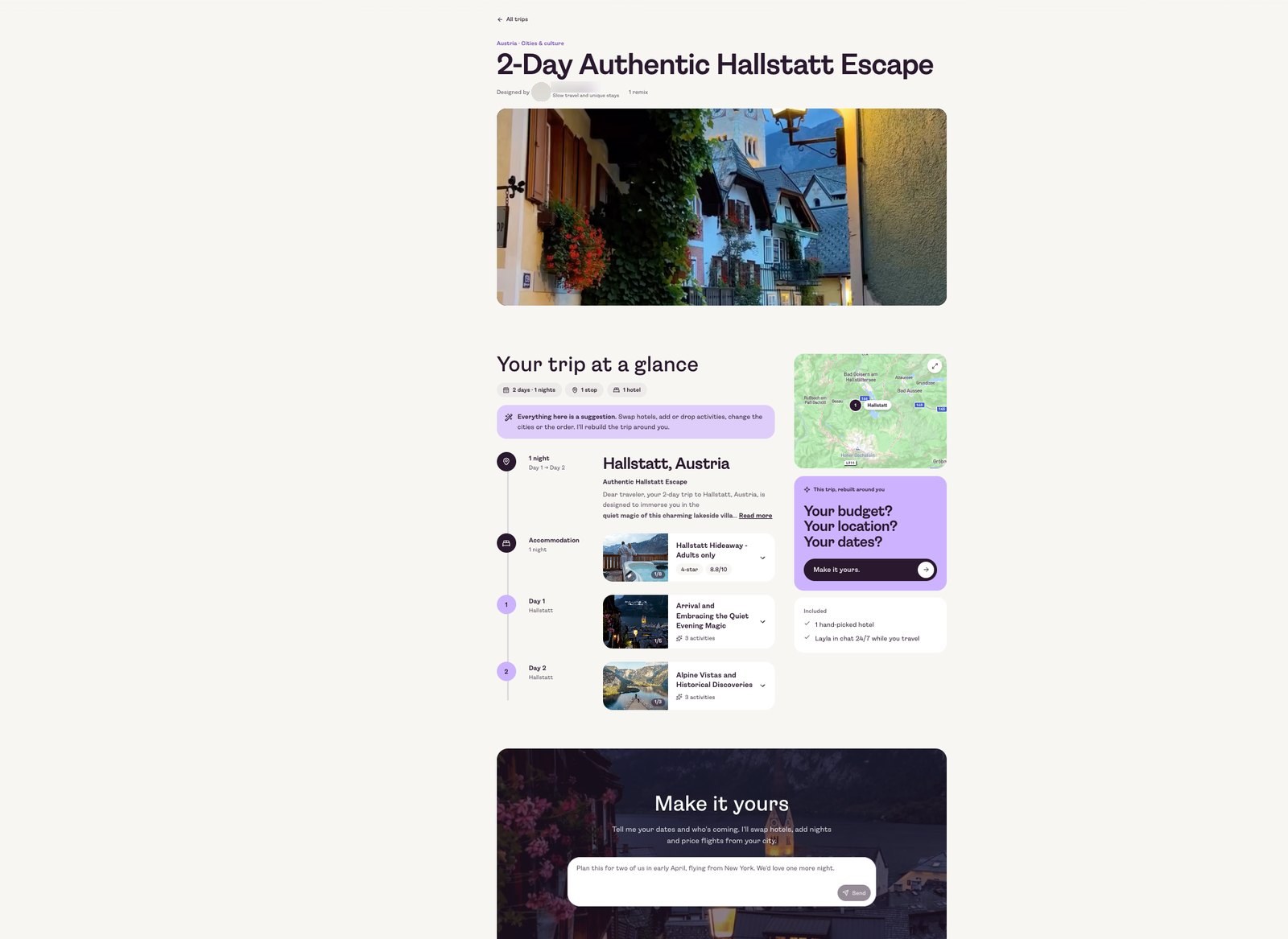
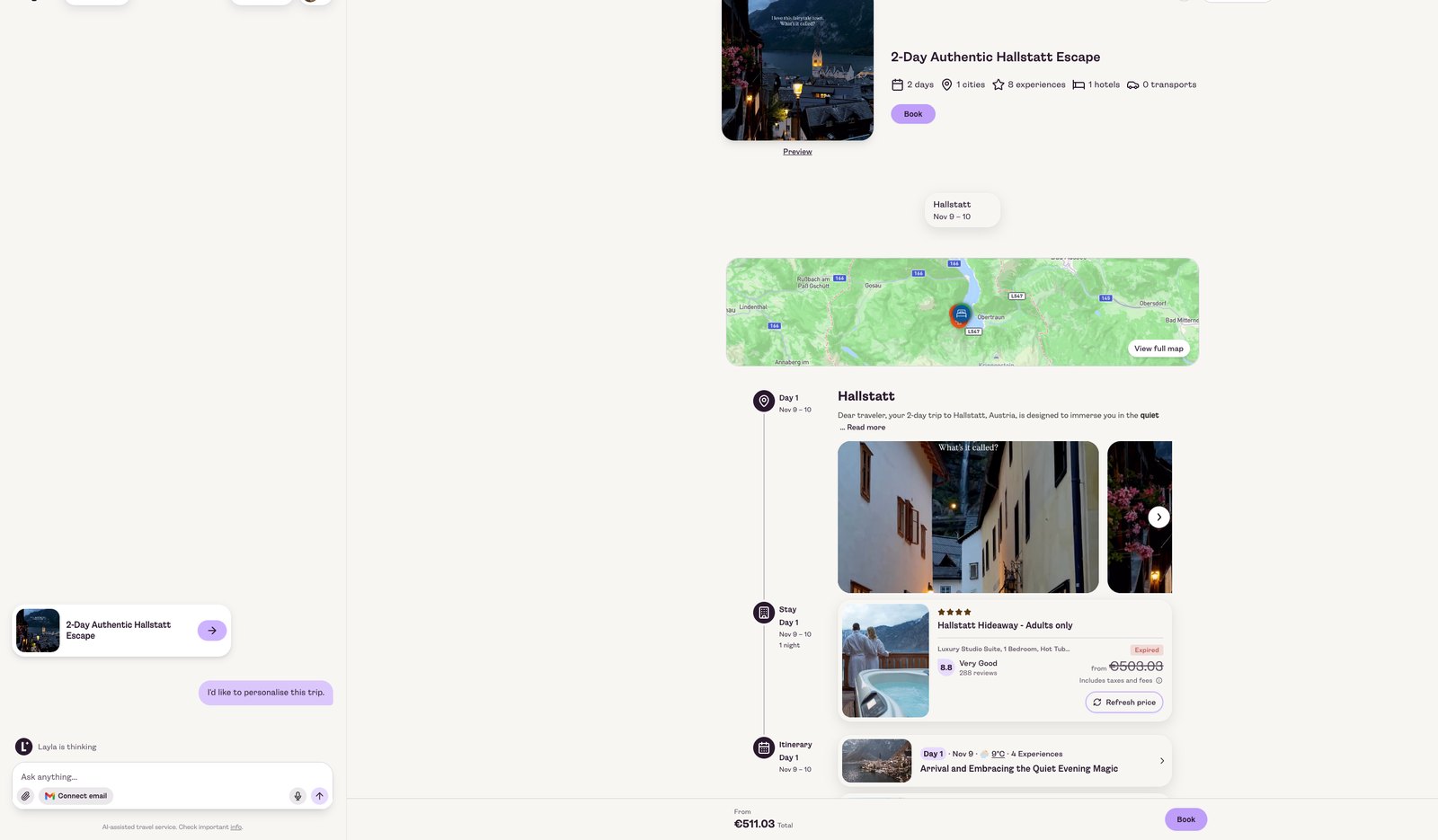
A traveller opens your trip and taps the Make it yours button, which opens a chat with Layla. Layla reshapes your trip around them, ready to book.

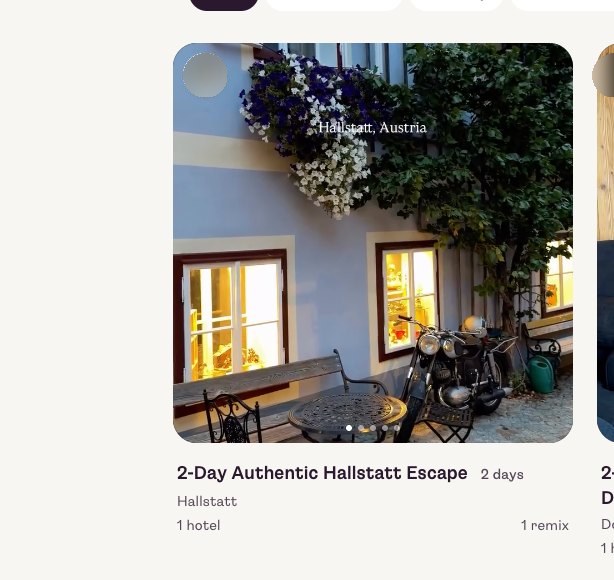
Every remix is counted on your trip, and shows in your Creator Hub straight away.

A trip page with the Your budget? Your location? Your dates? prompt
The purple card asks for their budget, location and dates. That's where the remix starts.
A Layla chat reshaping the trip for the traveller
A trip card showing 1 remix
9

Watch it add up

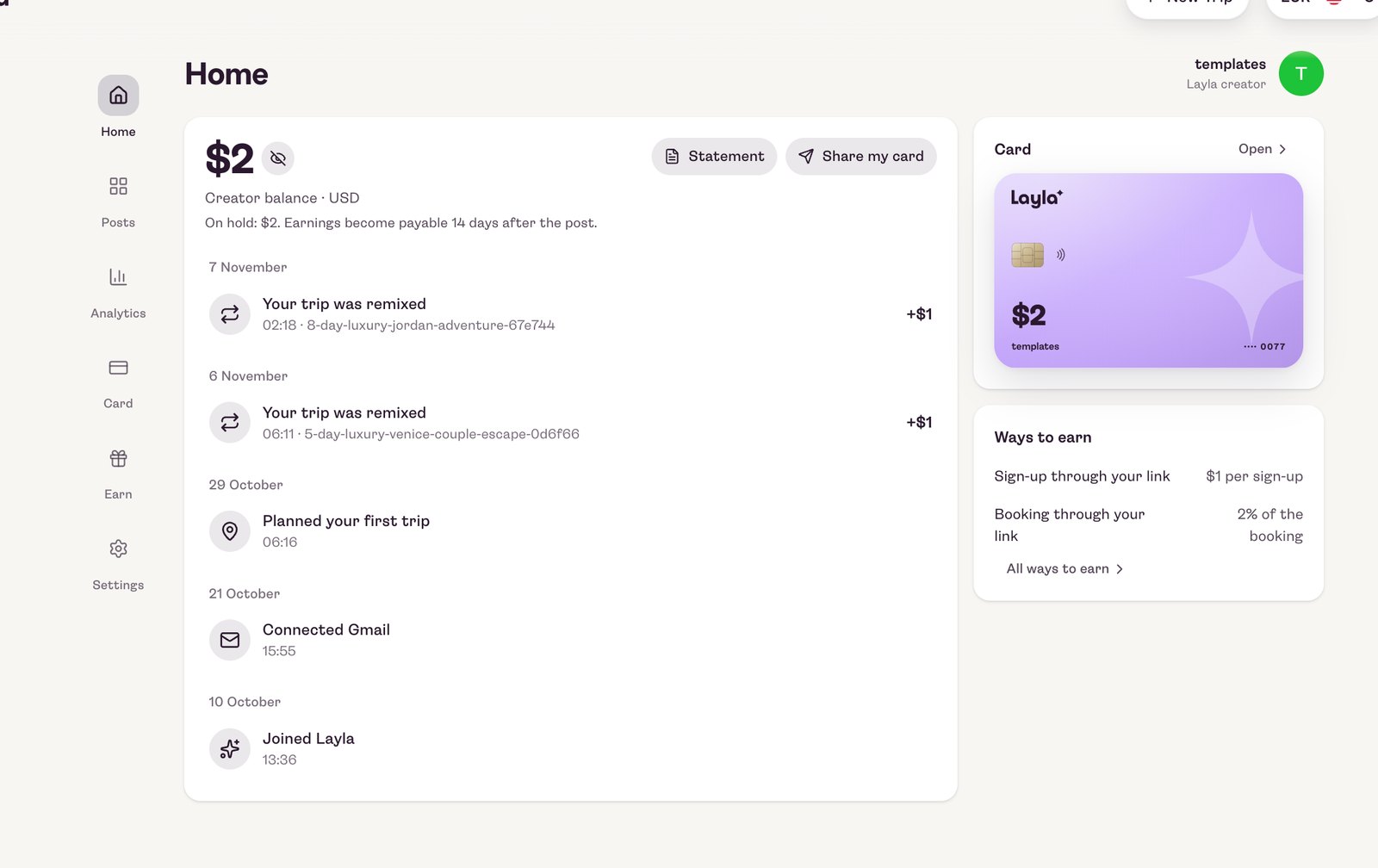
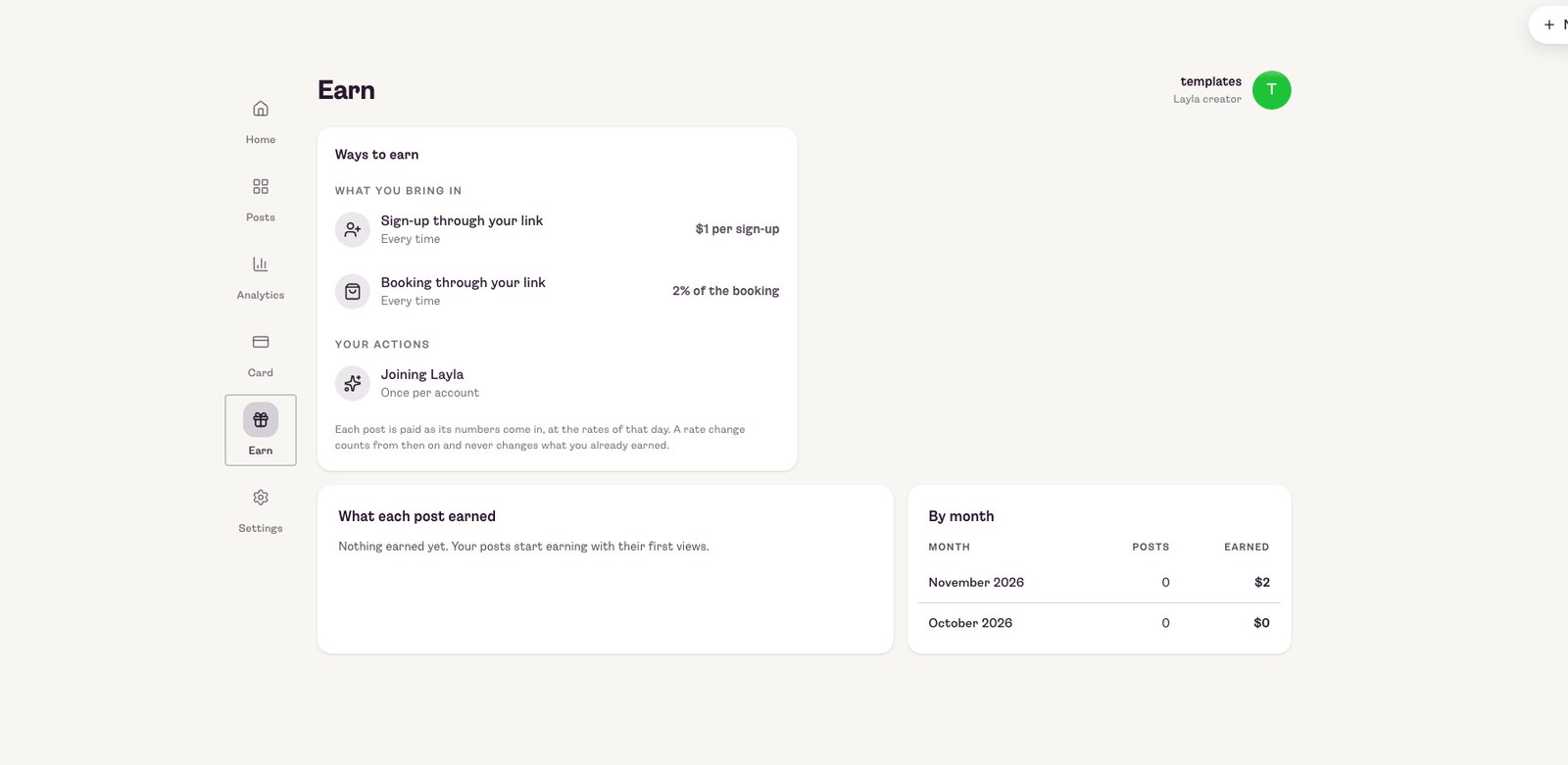
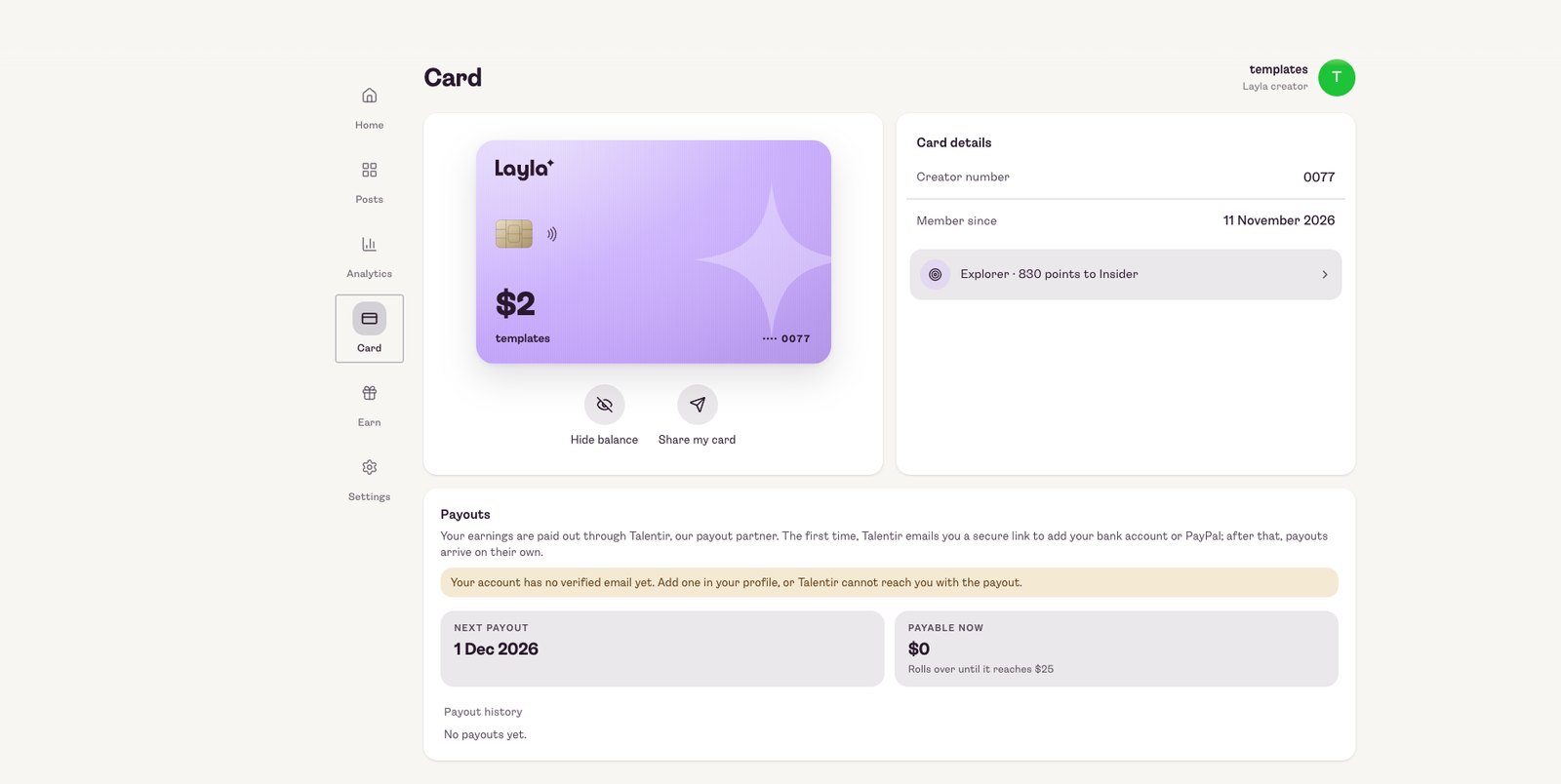
Your Creator Hub shows your balance and every remix as it happens, what each post earned, month by month, and your Layla creator card with upcoming payouts.

Creator Hub home with the balance and remix activity
The Earn screen with the ways to earn
The Layla creator card and payouts
Keep an eye on this

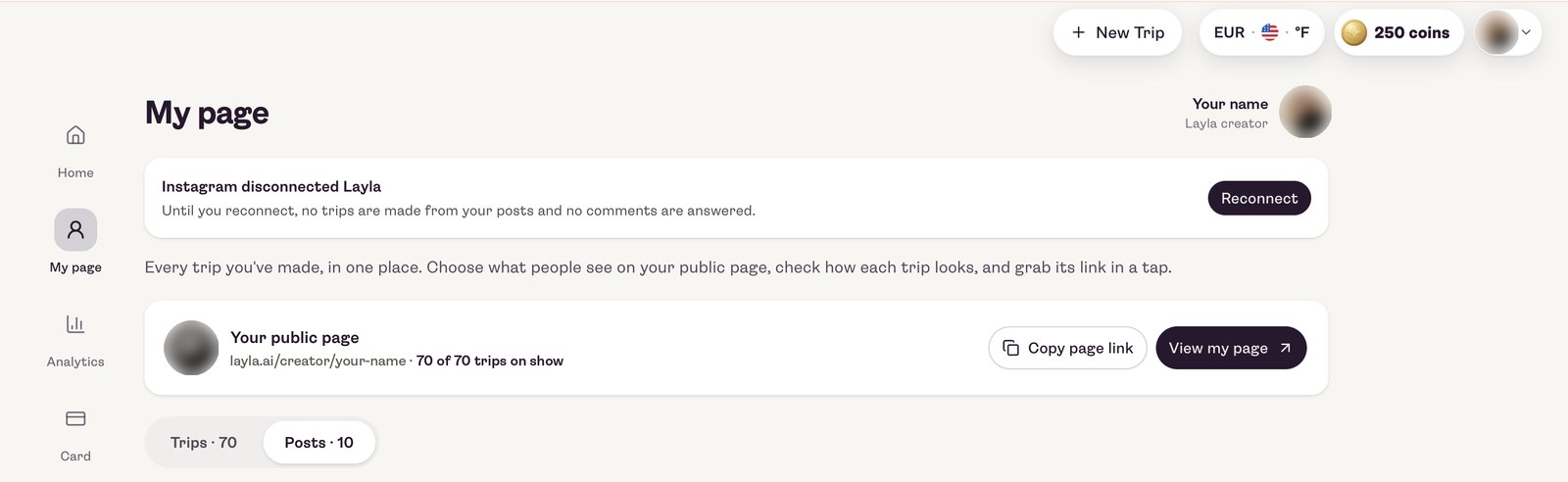
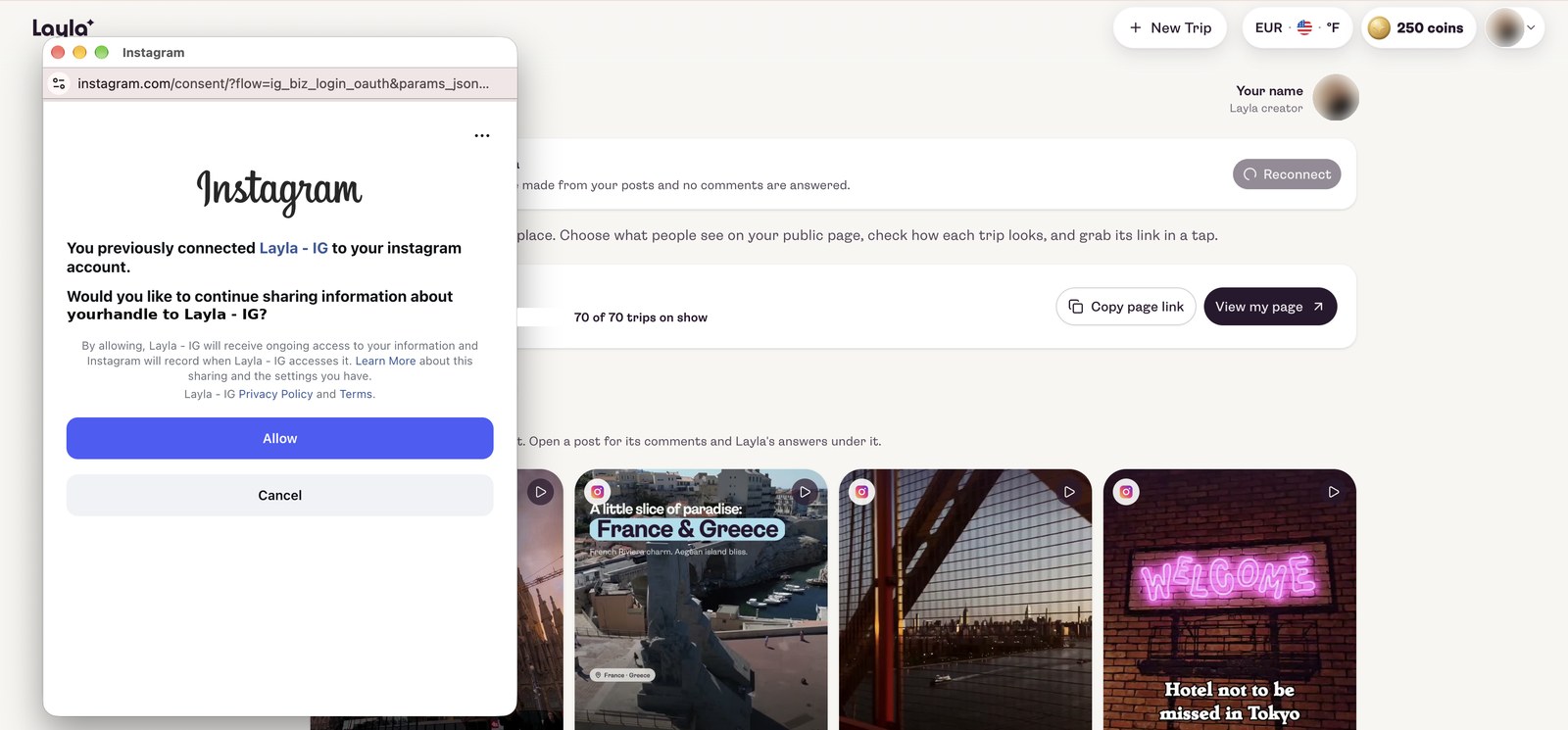
Disconnected? Reconnect Instagram straight away

Now and then Instagram disconnects Layla from your account. When that happens, please reconnect Instagram again. Otherwise the automation will not work: no trips are made from your new posts and no "plan" comments are answered.

Make sure to keep track of this. You'll see a notice at the top of My page in your Creator Hub whenever it happens.

How to reconnect

  1. 1Open My page in your Creator Hub
  2. 2Tap Reconnect on the notice
  3. 3Tap Allow in the Instagram window

a"Instagram disconnected Layla" shows on My page

My page with the notice Instagram disconnected Layla and a Reconnect button

bTap Reconnect, then Allow

The Instagram window asking to continue sharing information with Layla, with Allow and Cancel
One tap on Allow and the automation runs again.

Here's how you earn

Two simple ways. Both tracked in your Creator Hub.

$1

for every new sign-up

Every new user who signs up to Layla after remixing one of your trips.

2%

commission on bookings

Of the total booking value generated through your trips, even if someone books months later.

Paid out via Talentir
Our payout partner emails you a secure link to add your bank account or PayPal. After that, payouts arrive on their own.
Payable after 14 days
Earnings sit on hold briefly and become payable 14 days after the post.
Rolls over until $25
Smaller balances carry over to the next payout until they reach $25. Nothing is lost.

You're not doing this alone

We'll help you get set up, and get seen.

  • Your creator page

    We help you set it up so it looks and feels like you.

  • Interactive trips

    We turn your recommendations into trips people can remix and book.

  • Ready-to-share assets

    Visuals and links you can post straight away.

  • Extra reach, if you want it

    With your OK, we can amplify your trips through Layla's own channels and paid Meta campaigns.

Good to know

Your content stays yours
The programme gives Layla no rights or ownership over your content for marketing. It only appears on your own profile, and there's no exclusivity.
No extra work
No videos about us, nothing to promote. You keep posting like you always do, and add "Comment PLAN" to your caption.
You stay in control
Switch Layla off for any post, or remove its access from your Instagram settings whenever you want.
Through Meta's official connector
Your agreement runs through the official Meta connector, and Meta grants Layla access. Every remix, sign-up and booking is visible in your Creator Hub.

Your trips. Their next adventure.

Any questions before you join? Just reply to the person who sent you this, we're happy to walk you through it.

Become a Layla creator